
Why Is My WiFi So Slow? 9 Causes + Simple Fixes That Actually Work

Why is my WiFi so slow? In most homes, the answer is a weak signal, not a slow internet plan. Walls, distance, too many connected devices, or an overloaded router can make a good connection feel painfully slow. The good news: most slowdowns are fixed by a quick reboot, better router placement, or less interference — all doable in minutes.
Before you pay for a faster plan or a new router, understand what “slow WiFi” means. WiFi is the wireless link between your router and your device. If that link is weak, your device gets slow internet even when your internet plan itself is fast. That single idea explains most of the frustration in this article — and points straight to the fixes that work.
Why Is My WiFi So Slow? The 9 Most Common Causes
If you’re asking “why is my WiFi so slow,” one of these nine causes is almost certainly behind it:
- Distance from the router. Signals weaken with distance. A device two rooms away gets a fraction of the speed it gets right next to the router.
- Walls and floors in the way. Concrete, brick, and even wooden floors absorb signal. Thick walls between you and the router are among the biggest causes of slow WiFi.
- Too many connected devices. Every phone, laptop, smart TV, and smart bulb shares the same bandwidth. The more devices streaming or downloading, the slower each one gets.
- Outdated or glitchy router software. Routers run around the clock, and over time temporary glitches build up until a restart clears them.
- Interference from appliances. Microwaves, baby monitors, and Bluetooth gadgets operate on the 2.4 GHz frequency and can interfere with your signal.
- Wrong WiFi band. Most routers offer 2.4 GHz (reaches farther, slower) and 5 GHz (faster, shorter range). Being on the wrong band for your location quietly kills speed.
- Peak-hour congestion. In the evenings everyone goes online at once. Shared connections slow noticeably during these hours.
- ISP throttling or line problems. Some plans deliberately slow speeds after a data cap is hit, and a faulty line or modem can drag speeds down.
- Background downloads. Your phone, laptop, or smart TV may be quietly downloading a huge system update, eating your bandwidth without you noticing.
The 60-Second Router Reboot That Fixes Most Sudden Slowdowns
Why is my WiFi suddenly slow when I didn’t change anything? The answer is usually a temporary glitch in the router itself. Routers run for months without rest, and like any computer, they accumulate stale processes and memory issues over time.
The fix takes one minute: unplug your router’s power cable, wait a full 30 seconds, and plug it back in. Give it another 30 seconds to reconnect. This clears temporary glitches and forces your devices to reconnect fresh. It won’t fix everything — but it fixes “suddenly slow for no reason” so often that every internet provider will ask you to try it first. Always start here.
Why Your WiFi Is Slow at Night (It’s Usually Not Your Router)
Why is my WiFi slow at night but fast in the morning? In most cases, it’s congestion. Internet service in many areas is shared: you, your neighbors, and everyone streaming after dinner draw from the same capacity. Speeds dip when demand peaks and recover when people log off.
Test it: run a speed test at night and again the next morning. If the morning result is clearly faster, you’re looking at congestion, not a broken router. Shifting heavy downloads to off-peak hours (overnight or early morning) is the simplest workaround.
Router Placement: The #1 Speed Killer in Most Homes
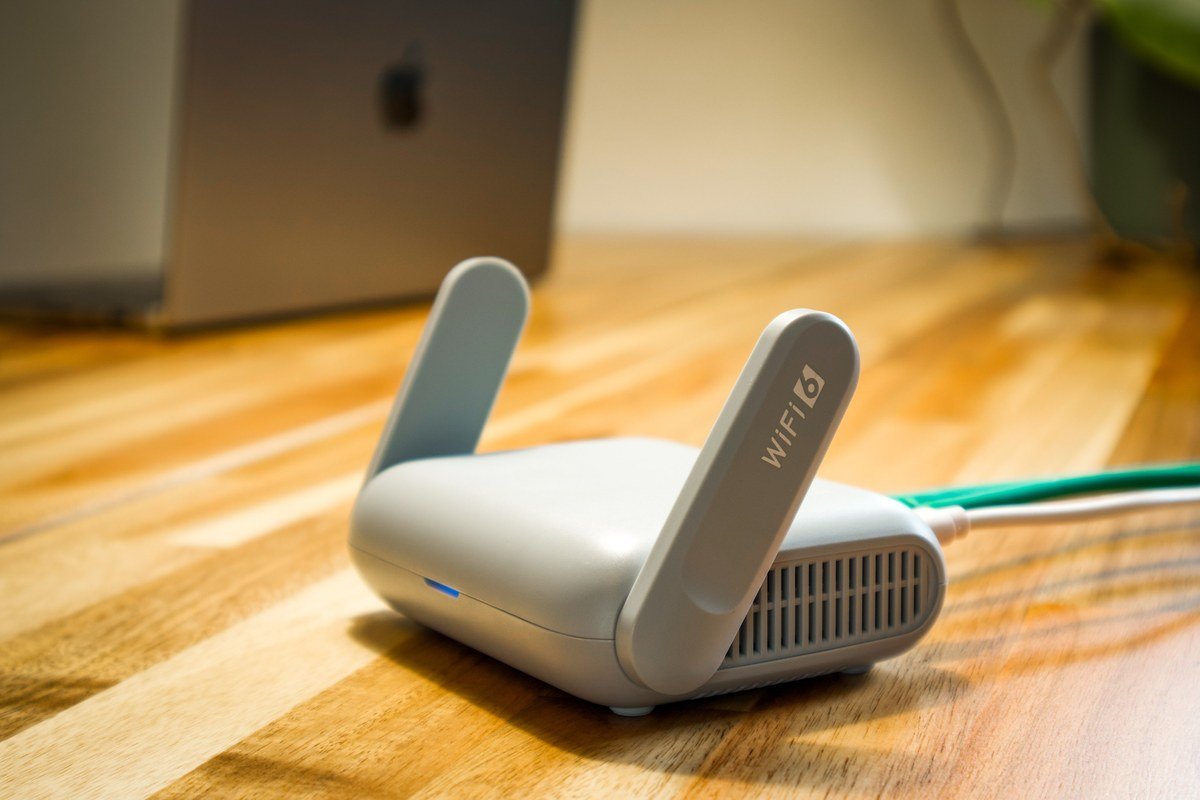
Does router placement really make a difference to speed? Yes — dramatically. WiFi radiates outward from your router, and every wall, floor, or large metal object weakens it. A router stuffed inside a cabinet, behind the TV, or in a corner gives its weakest signal exactly where you need it most.
Here’s what works instead:
- Go high and central. Place the router on a shelf or table near the center of your home, not on the floor in a corner.
- Keep it out in the open. Don’t hide it in a cupboard or behind furniture — cabinets and thick TV stands block signal.
- Move it away from the microwave. Microwaves interfere with the 2.4 GHz WiFi band.
- Stand the antennas upright. Vertical antennas spread signal best across a single floor; a mix of vertical and angled helps across floors.
If your router sits in a far corner today, moving it can feel like a free speed upgrade.
Too Many Devices? How to Find What’s Hogging Your Bandwidth
Why does my WiFi work on one device but not another? Usually because one device is hogging the bandwidth. A smart TV streaming a movie, a game downloading in the background, or a phone syncing a cloud backup can silently eat most of your connection.
Find the culprit by logging in to your router’s admin page (the address is on the router’s sticker) and checking the connected-devices list. Or pause large downloads and streams on each device and retest your speed — when speeds jump back up, you’ve found the hog.
Two quick wins: switch to the 5 GHz band (faster than 2.4 GHz at short range) and schedule big updates overnight. Note: a weak signal makes your phone work harder to stay connected, which drains battery and generates heat — if your phone runs hot on WiFi, see our guide on why your phone overheats and how to fix it.
When to Call Your ISP (and What to Ask Them)
If you’ve rebooted, repositioned, and decluttered — and speeds are still slow right next to the router on every device — the problem may be the connection coming into your home, not your WiFi. In that case, if your actual internet connection is slow, not just the WiFi.
Before you call, run three speed tests at different times of day and check whether speeds are also slow on a wired (ethernet) connection. Then ask your ISP three things: (1) Is there an outage or maintenance in my area? (2) Am I being throttled — has my plan hit a data cap or fair-use limit? (3) Can you check my line quality and modem health from your end?
If the wired connection is fast but wireless is slow, the WiFi is the problem — a new router or mesh setup is worth considering. If the wired connection is slow too, your ISP must fix it.
Quick Recap: What to Try, in Order
- Reboot your router (unplug 30 seconds, plug back in).
- Move the router higher, more central, and out of cabinets.
- Switch nearby devices to the faster 5 GHz band.
- Pause background downloads and streams; test again.
- Compare morning vs. evening speed tests for congestion.
- Test with a wired connection — if wired is slow too, call your ISP.

Most slow WiFi is a signal problem, not a speed problem. Work through this list, and you’ll either fix the slowdown yourself or arrive at your ISP with the evidence they need.